A slightly bent charger pin is one of those small problems that can spiral into a completely dead device if you ignore it — but knowing how to fix bent charger pin issues the right way can save you both money and frustration. Before rushing to a repair shop or ordering a replacement cable, it’s worth understanding exactly what you’re dealing with and whether a DIY approach is safe in your situation.
What actually causes a charger pin to bend
Charger pins — whether we’re talking about USB-C, Micro-USB, or the older proprietary connectors — are engineered to be inserted and removed thousands of times. But even well-designed connectors fail under real-world conditions. The most common culprits are straightforward: plugging in a cable at an angle, catching a charging cable with your foot while the device is on a table, or simply using a charger that doesn’t seat properly in the port.
Sometimes the damage is on the cable end (the male connector), and sometimes it’s inside the device’s charging port itself. These are two completely different problems that require different solutions, and mixing them up is the most common mistake people make before they even start trying to fix anything.
Identify the damage before you do anything else
Grab a flashlight — your phone’s torch will do — and inspect both the cable tip and the charging port on your device. Look for:
- A visibly off-center or tilted pin on the cable head
- A bent center pin inside a Micro-USB or Lightning port
- Debris or lint compacted around the contact points
- Any cracked or melted plastic around the connector housing
If you see melted plastic, scorch marks, or smell something burnt, stop immediately. That points to an electrical fault, not a mechanical one, and attempting to repair it yourself could be genuinely dangerous. In every other case, a careful manual fix is often entirely possible.
The golden rule before any repair: if the damage involves exposed wiring or signs of heat damage, the fix belongs in a professional’s hands — not yours.
Fixing a bent pin on the charger cable itself
This is the easier of the two scenarios. If the bent pin is on the male end of your charging cable, you have more room to work and more control over the process. Here’s how to approach it carefully:
- Unplug the cable from any power source completely — this is non-negotiable
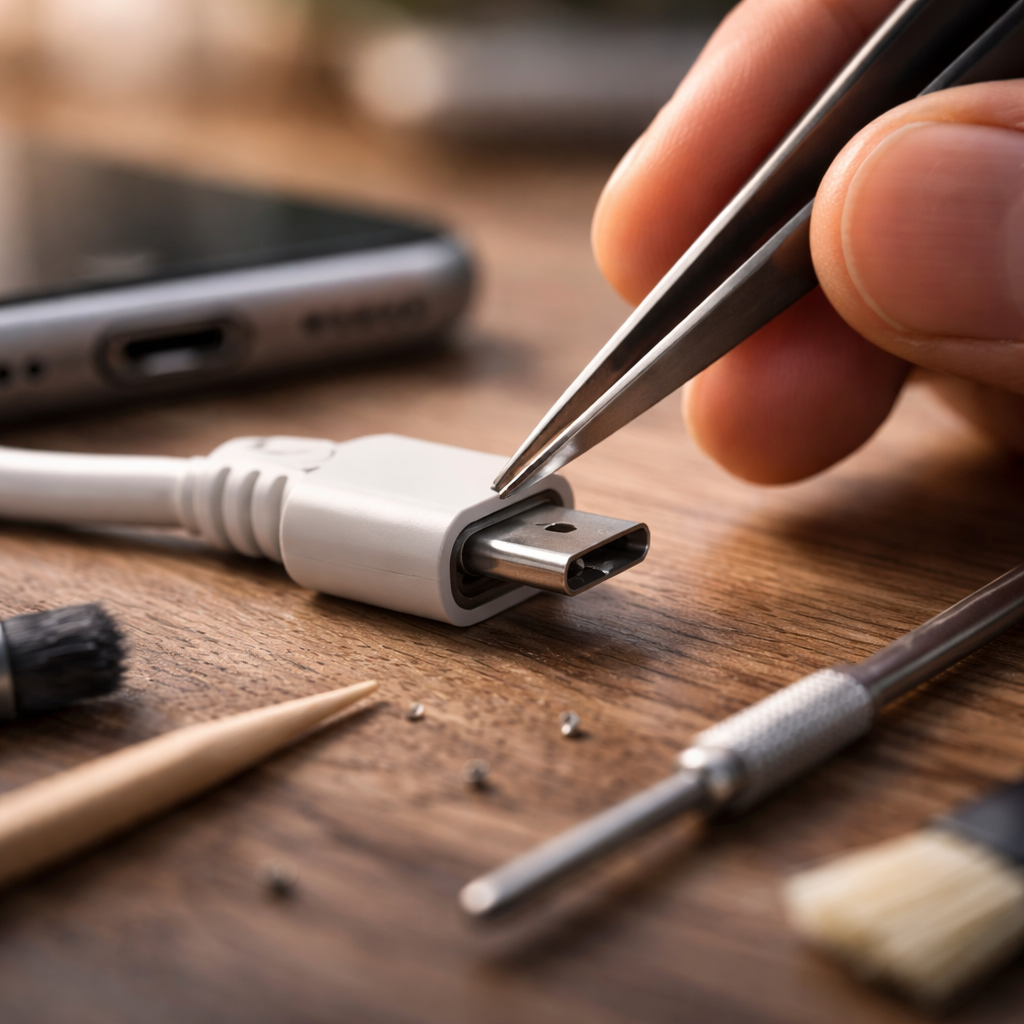
- Use a pair of fine-tip tweezers or a thin toothpick to gently apply pressure to the bent pin
- Work slowly in small increments; never force the pin back in one motion
- If the pin is a flat USB-C type, a wooden toothpick can realign it without scratching the metal
- Once realigned, plug the cable into a spare device first to test continuity before trusting it with your main device
Micro-USB connectors have a small internal tab that is especially fragile. If that tab is bent downward, a toothpick inserted gently underneath it — with zero lateral pressure — can sometimes restore its position. USB-C pins are flat contacts arranged symmetrically, so they’re slightly more forgiving than the older formats.
When the bent pin is inside your device’s charging port
This is where things get more delicate. The internal charging port of a phone, tablet, or laptop contains small contact pins or pads that can shift or bend when a cable is inserted forcefully or at the wrong angle. Attempting to fix this without the right tools or knowledge can permanently damage the port or the motherboard it’s soldered to.
That said, a common and completely safe first step is cleaning. Compacted lint and debris can physically block the connector and mimic the symptoms of a bent pin. Before assuming structural damage, use a wooden toothpick or a soft-bristled brush — never metal tools, never compressed air at close range — to gently clear the port.
| Tool | Safe to use? | Why |
|---|---|---|
| Wooden toothpick | Yes | Non-conductive, soft enough not to scratch contacts |
| Soft anti-static brush | Yes | Removes dust without generating static charge |
| Metal tweezers inside port | No | Can short-circuit contacts or scratch pads |
| Compressed air (close range) | No | Can push debris deeper or damage fragile pins |
| Isopropyl alcohol (90%+) | Carefully | Safe for cleaning contacts but must be fully dry before use |
If cleaning doesn’t resolve the issue and you can still see a visibly misaligned pin inside the port, a fine-tip toothpick can sometimes nudge it back — but only if you have a steady hand and can clearly see what you’re touching. If you’re uncertain, the risk of causing further damage outweighs the potential benefit of trying.
A practical tip worth remembering
Work under good lighting and, ideally, use a magnifying glass or a macro lens clip for your phone’s camera. What looks like a bent pin might actually be a contact covered in oxidation or debris. Seeing the problem clearly is half the solution.
Repair technicians often say that 40% of “broken charging ports” brought to them are simply dirty ones. A two-minute clean fixes what looked like a major hardware failure.
When to replace instead of repair
Not every bent pin situation is worth pursuing as a DIY project. Here’s a straightforward way to think about it:
- If the cable is the problem and costs less than $15 to replace — just replace it. Your time and the risk of making things worse rarely justify the effort.
- If the port on your device is damaged and the device is under warranty, always contact the manufacturer before attempting any repair. Self-repair voids most warranties.
- If you’ve already tried a gentle realignment and the pin snapped or became more misaligned, stop. A microsoldering repair by a professional is the appropriate next step.
- For laptops with proprietary charging connectors, port replacement is a known and affordable service at most repair centers — often cheaper than people expect.
Preventing the problem from coming back
Once you’ve resolved the immediate issue, a few simple habits go a long way toward keeping your charging connectors in good condition. Always insert a cable straight and centered — never at an angle. If a connection feels tight or resistant, don’t push harder; check that you’re oriented correctly, especially with USB-C cables which can look symmetrical but still have a preferred direction on some devices.
Magnetic charging adapters are a genuinely useful accessory if you tend to trip over cables or use your device while it’s charging. They take the mechanical stress off the port entirely and extend the lifespan of both the cable and the connector significantly. They work with most USB-C and Micro-USB devices and are widely available.
Keeping your charging port clean on a regular basis — a quick once-a-month check with a toothpick — prevents debris buildup that forces users to apply extra pressure when inserting cables, which is exactly how pins get bent in the first place. Small habits, consistent maintenance, and knowing your tools make a real difference over the long life of a device.