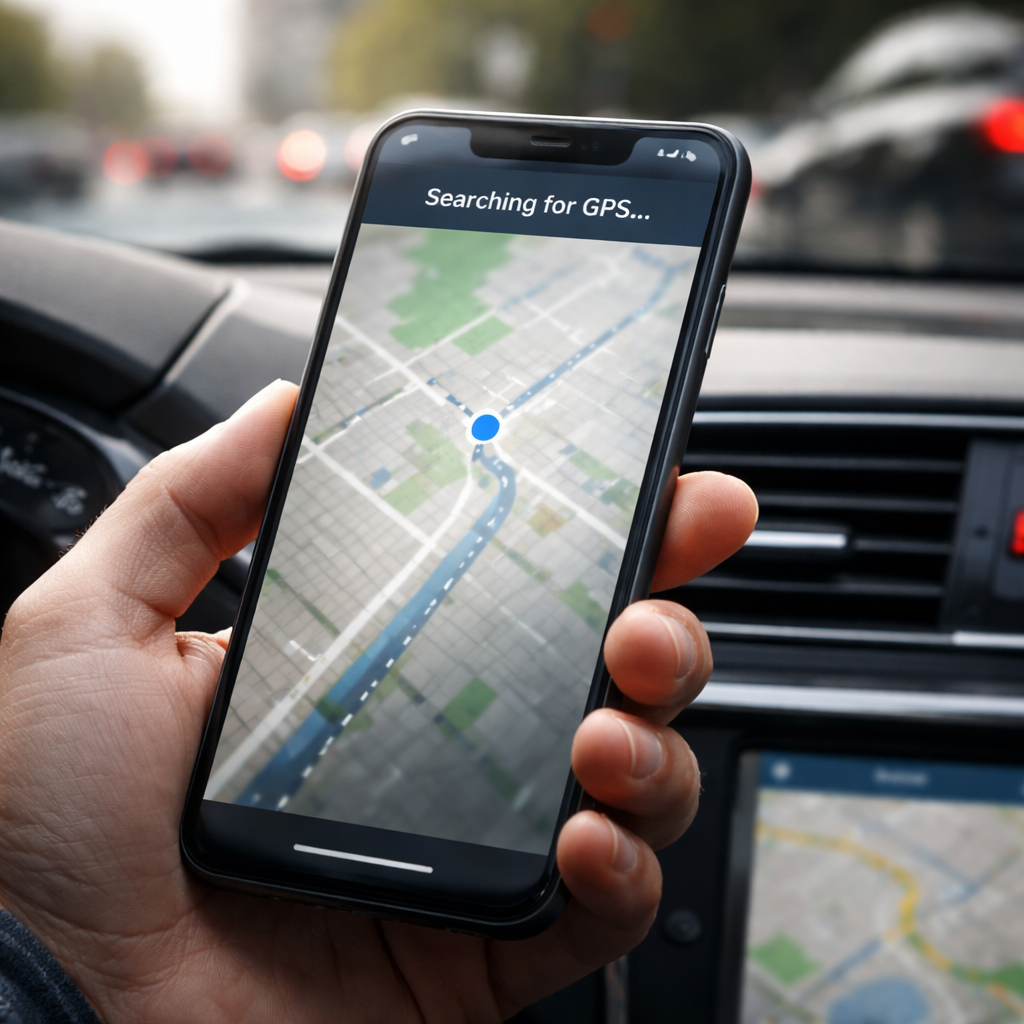
Your phone’s navigation suddenly freezes mid-route, or the blue dot on the map refuses to move — if GPS not working is something you’ve run into recently, you’re far from alone. This is one of the most common complaints among smartphone users, and the good news is that most causes are fixable without visiting a repair shop.
Why does GPS lose signal in the first place?
GPS technology relies on signals from satellites orbiting Earth. Your device needs a clear line of sight to at least three or four of those satellites to calculate an accurate position. The moment something interferes with that signal chain — whether it’s software, hardware, or the environment around you — location accuracy drops or disappears entirely.
The tricky part is that the problem rarely announces itself clearly. Sometimes the map loads fine but your position drifts. Other times the GPS icon shows as active, yet the app refuses to track movement. Understanding what’s actually going wrong is the first step toward solving it.
The most common culprits behind GPS failure
Before diving into fixes, it helps to know what you’re actually dealing with. GPS issues tend to fall into a handful of categories:
- Location permissions turned off for specific apps
- Power saving mode limiting GPS chip performance
- Outdated GPS data (A-GPS cache) stored on the device
- Physical obstructions — buildings, tunnels, dense tree cover
- Software bugs or pending system updates
- Damaged or poorly calibrated GPS hardware
- Interference from certain phone cases or metal surfaces
Each of these calls for a different approach. A simple permission issue takes thirty seconds to fix. A corrupted A-GPS cache requires clearing and re-downloading satellite data. Hardware damage, on the other hand, may mean a professional diagnosis is necessary.
Step-by-step troubleshooting that actually works
Start with the basics before anything else. Toggle your location services off, wait ten seconds, then turn them back on. This forces your device to re-establish a connection with available satellites. If that doesn’t change anything, work through the following sequence:
| Step | Action | Why it helps |
|---|---|---|
| 1 | Restart your device | Clears temporary system glitches affecting the GPS chip |
| 2 | Switch location mode to “High Accuracy” | Uses GPS, Wi-Fi, and mobile networks simultaneously |
| 3 | Disable battery saver | Power saving modes throttle the GPS receiver |
| 4 | Clear A-GPS data | Forces a fresh download of satellite position data |
| 5 | Check app location permissions | Ensures the navigation app has full access |
| 6 | Update your operating system | Patches known GPS-related software bugs |
On Android devices, clearing A-GPS data is done through the Developer Options or via dedicated GPS test apps. On iPhone, there’s no direct A-GPS cache reset — but toggling Airplane Mode on and off, then re-enabling location services, achieves a similar result.
Moving to an open area — away from tall buildings and underground spaces — can instantly restore GPS signal. Urban canyons are one of the leading causes of location drift and signal loss.
When the problem is the app, not the GPS
It’s worth separating the question: is your GPS chip actually broken, or is a specific navigation app misbehaving? A quick test is to open two different apps that use location — say, Google Maps and your camera’s geotagging feature — and check whether both have problems or just one.
If only one app fails to track your position accurately, the issue is almost certainly app-specific. Try clearing the app’s cache, reinstalling it, or checking whether a newer version is available. App developers push GPS-related patches regularly, and running an outdated version is a surprisingly common reason for poor location tracking.
A tip worth saving
Here’s something most guides skip: magnetic interference. Certain phone cases with built-in magnets — particularly wallet-style cases with magnetic closures — can interfere with the compass and, in some devices, affect GPS signal acquisition. Removing the case entirely as a test step is quick and often surprisingly effective.
Similarly, if you frequently use your phone on a car mount attached via a magnetic holder, consider switching to a clamp-style mount instead. The magnets used in these accessories sit close to the GPS antenna area on many phone models.
Android vs. iPhone: differences in GPS behavior
The two major platforms handle GPS differently, and that affects how you troubleshoot. Android gives you more direct access to GPS settings, including the ability to manually switch between GPS modes. iOS, by contrast, manages satellite connectivity automatically — which means fewer manual controls but also fewer ways for things to go wrong through user settings.
- On Android: check Settings → Location → Mode and select “High Accuracy”
- On Android: use GPS Status & Toolbox or similar apps to monitor satellite count in real time
- On iPhone: go to Settings → Privacy & Security → Location Services and confirm each app’s access level
- On iPhone: resetting network settings (Settings → General → Transfer or Reset iPhone) can sometimes resolve persistent GPS issues tied to assisted GPS
One thing both platforms share: if a factory reset or full software reinstall doesn’t fix the problem, the GPS receiver itself is likely damaged. This is more common in older devices, phones that have been exposed to water, or those that have been dropped repeatedly.
What to do if nothing helps
At this point, you’ve ruled out software causes. The next logical step is a hardware check. Many authorized service centers can run a diagnostic on the GPS module specifically — this is worth doing before purchasing a replacement device, since repairs are often more affordable than they seem.
If your phone is still under warranty, a documented GPS fault typically qualifies for a repair or replacement. Keep records of when the issue started and what troubleshooting steps you’ve already taken — service technicians genuinely find this useful, and it speeds up the process considerably.
For most people, though, the fix is somewhere in the steps above. GPS problems, frustrating as they are in the moment, are rarely permanent — and they almost never require spending money to solve.