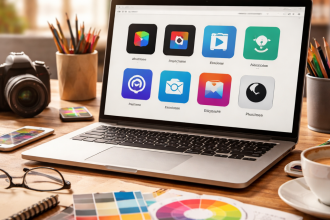
Most people assume that dropping a subscription for professional image editing software is the only way to get serious work done — but that assumption is outdated. If you’re looking for a genuine alternative to Photoshop, the market has quietly matured to the point where several tools can handle everything from photo retouching and layer-based compositing to vector illustration and UI mockups, often at no cost at all.
Why people start looking beyond Adobe
The reasons are rarely just about price. Yes, a recurring subscription adds up — but many designers, photographers, and content creators also cite interface fatigue, performance issues on older hardware, and the desire to own software outright rather than rent it. Others simply need a lighter tool that launches in seconds and handles everyday tasks without loading a full creative suite.
Understanding what you actually need before choosing a replacement makes the whole process easier. Are you editing RAW photos? Building digital illustrations? Designing social media graphics? Each use case points toward a different tool, and no single app wins in every category.
Free tools that hold their own
GIMP remains the most well-known free image editor with a desktop-native feel. It supports layers, masks, custom brushes, and a wide range of file formats including PSD. The learning curve is real — the interface takes adjustment — but the capability is there for serious retouching and graphic work.
Krita was built primarily for digital painting and illustration. It offers an exceptional brush engine, symmetry tools, and a non-destructive workflow that many professional illustrators genuinely prefer. It’s not the strongest choice for photo editing, but for concept art and hand-drawn work it’s hard to beat.
Photopea deserves a mention in a category of its own: it runs entirely in a browser, reads and writes PSD files natively, and mirrors the Photoshop interface closely enough that experienced users can work in it within minutes. No installation, no account required.
Photopea handles PSD files so accurately that many freelancers use it as a backup when working away from their main machine — and some have stopped going back.
Paid alternatives worth the investment
Affinity Photo from Serif is probably the most direct competitor to Photoshop in terms of depth and professional output. It supports RAW editing, 360° image editing, focus merging, HDR tone mapping, and a comprehensive layer system. It’s sold as a one-time purchase, which is a meaningful difference for anyone tired of subscription billing.
Pixelmator Pro is a Mac-exclusive tool with a clean interface and machine learning-powered features like automatic background removal and ML Super Resolution. It fits naturally into the Apple ecosystem and feels fast even on modest hardware.
| Tool | Best for | Price model | Platform |
|---|---|---|---|
| GIMP | General photo editing | Free | Windows, Mac, Linux |
| Krita | Digital painting | Free | Windows, Mac, Linux |
| Photopea | Quick edits, PSD work | Free / Pro | Browser |
| Affinity Photo | Professional retouching | One-time purchase | Windows, Mac, iPad |
| Pixelmator Pro | Mac users, clean workflow | One-time purchase | Mac only |
A practical way to choose
Rather than downloading five tools and feeling overwhelmed, it helps to narrow the field with a few honest questions.
- Do you need to open or export PSD files regularly? Photopea and Affinity Photo handle this best.
- Is your work primarily illustration or painting? Krita is built for exactly that.
- Are you on a Mac and want something that feels native? Pixelmator Pro is the natural fit.
- Do you want full control without spending anything? GIMP covers most professional needs with patience and practice.
- Are you editing RAW files from a DSLR or mirrorless camera? Both Affinity Photo and GIMP support RAW processing.
There’s also a middle path that many creative professionals take: using a lightweight free tool for quick daily tasks and keeping one paid application for complex projects. This hybrid approach avoids both overpaying and underdelivering.
A tip for switchers
Give yourself two weeks with one tool before judging it. Most frustration with new software comes from muscle memory, not actual capability gaps. The tool is usually not the problem — familiarity is.
The tools creative professionals actually use day to day
It’s worth noting that outside the Adobe ecosystem, many working designers use a combination of tools rather than one master application. A brand designer might use Affinity Photo for raster work, Affinity Designer for vector graphics, and Figma for UI and web assets. A photographer might retouch in Darktable — a powerful open-source RAW processor — and do final compositing in Photopea.
This modular approach has become increasingly common because modern tools are better at doing one thing well than trying to replicate an entire suite. The result is often a faster, more focused workflow.
What’s clear is that the gap between Adobe’s flagship product and the broader market has closed significantly. Non-destructive editing, smart object support, advanced masking, and professional color management are no longer exclusive features. They’re table stakes — and most of the tools listed here meet that standard without requiring a monthly commitment.